

VSDC Free Video Editor Introduces Comprehensive HDR Support and Advanced Toolset
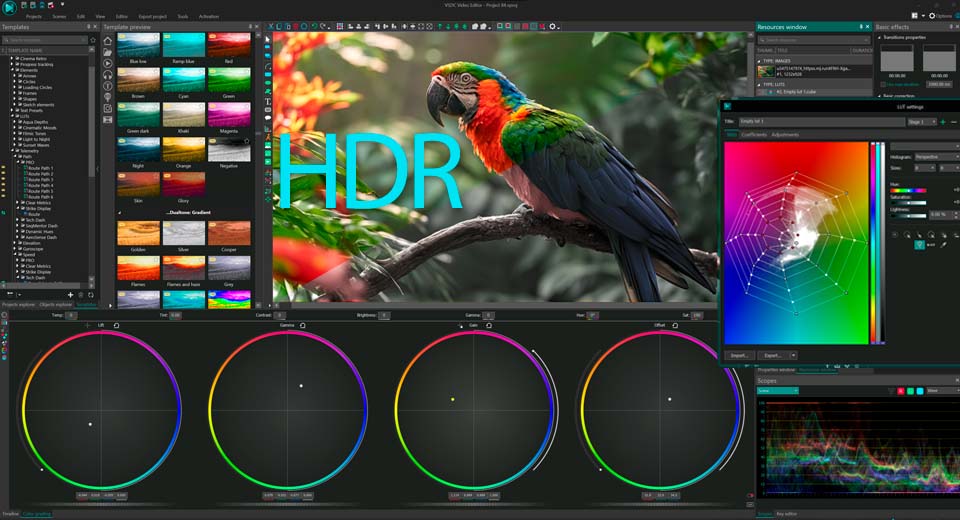
VSDC free video editor with HDR support
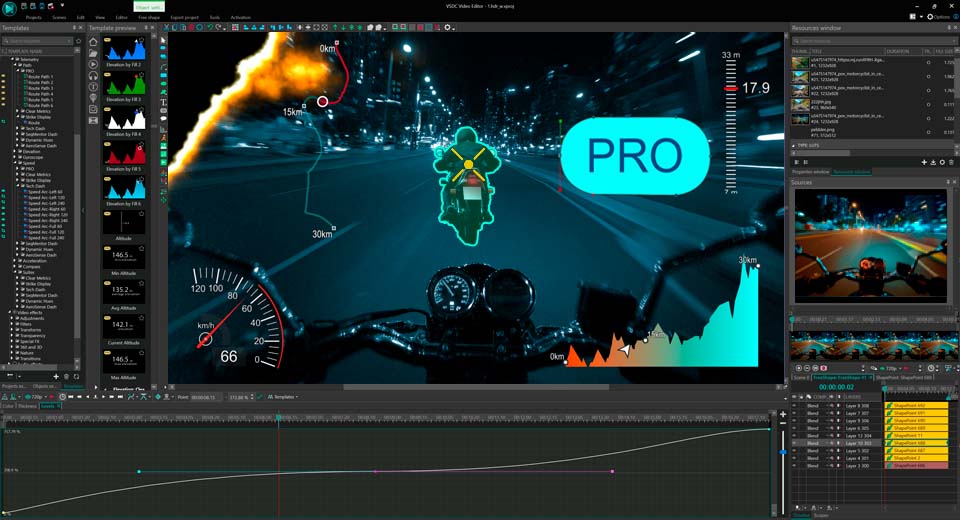
A Wide Range of Professional Video Editing Tools
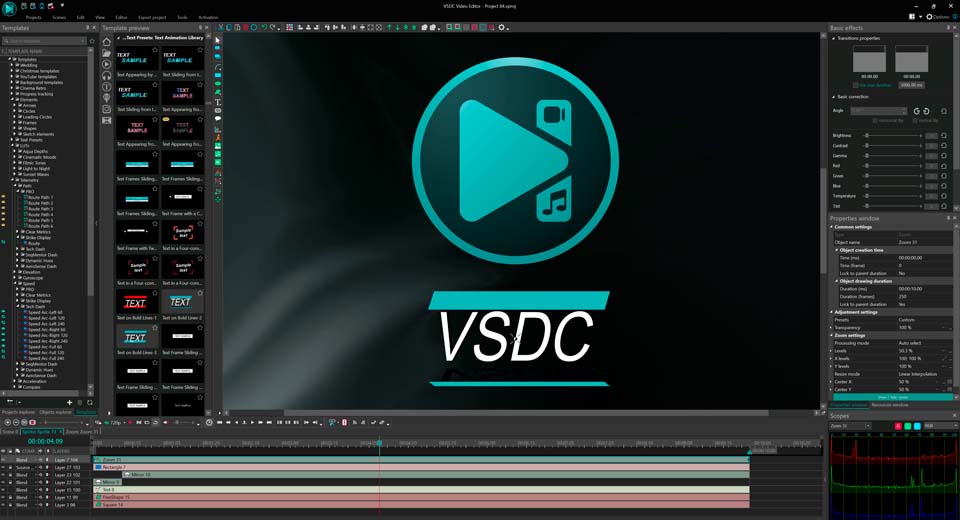
VSDC user interface: clean, flexible and fully customizable
VSDC free video editor with full HDR support, pro color tools, tracking, masking and export to any format including 4K/8K. No watermarks on export!
SOFIA, BULGARIA, August 4, 2026 /EINPresswire.com/ -- VSDC, a full-featured free video editor, offers a wide range of tools from basic trimming to advanced professional capabilities without imposing watermarks on its free version. The software provides advanced HDR color grading, a complete non-linear workflow, merging, masking, multi-layer color correction, chroma key (green screen), a broad selection of transitions, audio processing, titles, subtitles, and compatibility with all popular formats. The interface remains smooth on modest hardware and is designed to be intuitive for both beginners and professionals.HDR: True-to-Life Colors with Maximum Depth
Starting with version 10.1, VSDC delivers full High Dynamic Range (HDR) video support, addressing a common challenge where high-contrast footage captured on devices such as iPhones, GoPros and DJI cameras often loses its dynamic range in standard editing environments. The editor works natively with the wide-gamut BT.2020 (Rec. 2020) color space, the backbone of HDR10, HDR10+, Apple Dolby Vision, iPhone (HEIC, ProRes RAW), GoPro (10-bit HEVC), Sony cameras and DJI (HLG).
The workflow allows users to drop a clip onto the timeline and select from three HDR modes via the properties window, depending on the project goal. Auto detect enables VSDC to intelligently compress the HDR range for a regular SDR monitor. For rough cuts where HDR processing is unnecessary, Force SDR mode utilizes only the standard SDR data inside the file. To preserve full color accuracy and luminance, Force HDR mode exploits the entire dynamic range, though, on non-HDR displays, this may require manual adjustment of settings.
The Color Profile option provides further flexibility. Once Auto-detect or Force HDR is selected, users can choose between two profiles. The Standard profile works across various displays but operates slower and may produce slight color deviations. The Enhanced profile harnesses the graphics card (GPU) to accurately convert HDR to SDR, directly benefiting from the hardware acceleration added in version 11.2. For precise control, the Nominal Peak Brightness can be adjusted to match specific monitor capabilities, and advanced Tone Mapping algorithms allow for detailed image calibration. Additionally, VSDC’s professional color grading tools remain available for fine-tuning individual frames.
Professional Editing Tools for All Levels
VSDC includes a complete creative toolkit:
Color grading with curves, wheels, and LUTs;
Background removal using Chroma Key;
Object tracking for attaching text or masks;
Animation of titles, logos, and effects with keyframes;
Layer blending, transitions, and shaky footage stabilization;
Screen or webcam recording and DVD burning;
Import of GPS data from GoPro, Garmin, Insta360, Suunto or smartphone tracking apps enabling overlay of speedometers, altitude graphs, G‑force meters, compasses, and other racing‑style widgets (version 11.2 also adds fast synchronization of separately recorded video and telemetry; all widgets are available in the VSDC Store).
For advanced projects, the editor supports proxy editing for 4K/8K, export to any format including the new H.266 (VVC) and enhanced hardware acceleration (further improved in version 11.2).
Additional resources, including how-to articles, are available on the VSDC website. The software can be downloaded directly from the official site. For further information, VSDC maintains communities on social media and provides a support team reachable at support@videosoftdev.com.
For fresh ideas, visit the how‑to articles section on the VSDC website
https://www.videosoftdev.com/how-to-use-free-video-editor
Download VSDC completely free
https://www.videosoftdev.com/free-video-editor/download
ANVAR KURBANALIEV
FLASH-INTEGRO LLC
support@videosoftdev.com
Visit us on social media:
YouTube
X
Other
🔥VSDC 11.2: Full Overview of All New Features
Legal Disclaimer:
EIN Presswire provides this news content "as is" without warranty of any kind. We do not accept any responsibility or liability for the accuracy, content, images, videos, licenses, completeness, legality, or reliability of the information contained in this article. If you have any complaints or copyright issues related to this article, kindly contact the author above.
